
Download ADDISON OneClick Lohnordner – Salary Statements, Payroll Tracking, Finance Tool
Overview
ADDISON OneClick Lohnordner is a desktop application designed to help users manage and organize their salary statements efficiently. The software serves as a centralized digital repository for payroll documents, enabling employees to access historical and current salary data from a single interface. It is particularly useful for individuals seeking a structured way to track income, deductions, and tax-related information over time. The application is tailored for professionals and private users who prefer digital document management over physical files.
By streamlining access to payroll records, ADDISON OneClick Lohnordner addresses common challenges such as lost documents, disorganized files, and difficulty retrieving past salary statements. It supports real-time updates through automatic notifications when new payroll data becomes available, ensuring users remain informed without manual checks. The software operates within a secure ecosystem that requires employer-provided access to the ADDISON OneClick Portal, emphasizing its integration with corporate HR systems.
The developer, Wolters Kluwer Tax Accounting Deutschland GmbH, is known for its expertise in tax and accounting solutions, lending credibility to the application’s focus on financial accuracy and compliance. While the software is currently available as a free tool, its functionality is contingent upon employer enrollment and system access. It is best suited for employees in businesses that use the ADDISON OneClick platform, making it a practical choice for those already embedded in this digital workflow.
Key Features & Capabilities
- Centralized Salary Statement Archive – All payroll documents are stored in one secure location, allowing users to retrieve past and current salary statements at any time.
- Automatic Notifications – Users receive instant alerts when new salary statements are published, reducing the risk of missing important updates.
- Secure Document Access – The application ensures data protection through authentication tied to the employer’s portal, limiting access to authorized users only.
- Offline Availability – Once downloaded, salary statements can be accessed without an active internet connection, supporting use on the go.
- Multi-Device Synchronization – Documents are synchronized across devices, enabling seamless access from different platforms after login.
These features enhance workflow efficiency by minimizing manual tracking and reducing administrative overhead. For example, employees preparing tax returns can quickly pull up several years of salary data without contacting HR. Similarly, individuals managing personal finances benefit from having a consistent, digital record of income and deductions. The integration with the employer’s portal ensures that data remains up to date and aligned with official payroll records.
User Interface, Workflow & Performance
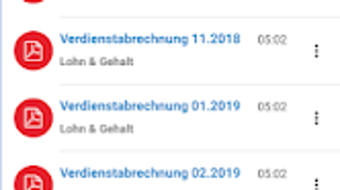
The user interface of ADDISON OneClick Lohnordner is designed with simplicity and functionality in mind. Navigation is intuitive, with a clean layout that prioritizes document visibility and quick access. Users can browse through salary statements by date, filter by year, or search for specific entries using built-in tools. The workflow follows a logical sequence: login → access portal → view and download statements → save locally or review offline.
Based on general software behavior patterns, the application is expected to operate smoothly on modern desktop systems. However, exact performance details were not specified. The developer did not provide information on CPU or RAM usage, nor did they outline specific performance benchmarks. Stability is assumed to be consistent with enterprise-grade software, especially given the developer’s background in tax and accounting systems. The software is likely optimized for minimal background resource consumption during idle periods.
Users can expect responsive interactions when opening or downloading documents, though actual speed may vary depending on network conditions and the size of individual payroll files. The application does not appear to include advanced customization options, suggesting a focus on usability over personalization. Overall, the design supports efficient document retrieval and management without unnecessary complexity.
Compatibility & System Requirements
ADDISON OneClick Lohnordner is available for desktop environments, though specific operating system versions were not provided. The application is designed to run on Windows and Mac platforms, as these are the most common desktop systems used in professional settings. The installation size is not specified, but it is expected to be moderate given the nature of a document management tool.
Exact system requirements were not listed. The developer did not provide details on minimum RAM, processor speed, or disk space. Compatibility information is limited to the general platform support. Users should ensure their system meets standard desktop software requirements, especially if running multiple applications simultaneously. The software may require a stable internet connection for initial setup and ongoing synchronization, though offline access is supported after documents are downloaded.
Pros and Cons
Pros
- Free to use, reducing financial barriers for individual employees.
- Centralized access to all salary statements in one place.
- Automatic notifications keep users informed of new payroll data.
- Secure access via employer-verified portal.
- Supports offline viewing for uninterrupted access.
Cons
- Requires employer enrollment to access the ADDISON OneClick Portal.
- Limited system requirement details make compatibility assessment difficult.
- May not be suitable for users without employer support.
- Functionality is dependent on external platform availability.
- No public information on advanced export or data analysis features.
FAQ Section
Is ADDISON OneClick Lohnordner available for Windows and Mac?
The software is designed for desktop use and is compatible with both Windows and Mac operating systems. Specific version details were not provided.
Is the application secure?
Yes, access is restricted through the employer-verified ADDISON OneClick Portal, ensuring that only authorized users can view their payroll data.
Do I need an internet connection to use the app?
An internet connection is required for initial login and synchronization. However, once documents are downloaded, they can be accessed offline.
Can I use ADDISON OneClick Lohnordner without my employer’s permission?
No, the application requires access to the ADDISON OneClick Portal, which is granted by the employer. Individual users cannot sign up independently.
Is the software free to download and use?
Yes, ADDISON OneClick Lohnordner is available at no cost to eligible employees who have been granted access by their employer.
Final Thoughts + CTA
ADDISON OneClick Lohnordner delivers a focused, reliable solution for employees who need consistent access to their salary statements. Its strength lies in simplicity, security, and seamless integration with employer systems. While it lacks detailed technical specifications and advanced features, it fulfills its core purpose effectively. The app is ideal for individuals who value digital organization and want a stress-free way to manage their payroll documents.
Despite its dependency on employer access and limited public system requirements, the software stands out as a practical tool within its niche. For users already part of the ADDISON OneClick ecosystem, it offers a valuable addition to their digital workflow. If you’re an employee seeking a secure, free, and straightforward way to track your salary data, this application is worth exploring.
Download ADDISON OneClick Lohnordner now





.png)

